Integrating Zulfa Notes into Your Creative and Professional Workflow
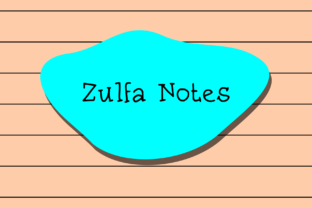
In the digital age, the allure of the handwritten note persists. It conveys urgency, authenticity, and a personal touch that clean, typed fonts often lack. For professionals, creators, and anyone who communicates visually, finding a digital asset that captures this essence without sacrificing usability is key. Zulfa Notes is a distinctive handwritten script font designed precisely for this purpose. It imitates the natural flow and irregularities of quick, personal handwriting, making it an exceptional tool for embedding the feel of handwritten notes, reminders, and annotations directly into your digital projects.
The Role of Handwritten Elements in Modern Workflows
Before delving into the specifics of Zulfa Notes, it’s important to understand where handwritten-style typography fits within contemporary processes. Our workflows are increasingly hybrid, blending digital efficiency with human-centric communication. A typed document can feel sterile; a presentation slide might seem overly polished. Inserting elements that look handwritten breaks that barrier, creating points of emphasis that feel direct and human. This isn’t about nostalgia; it’s a practical design and communication strategy. It signals immediacy, marks personal input, or highlights critical takeaways in a way that viewers instinctively recognize and trust.
Zulfa Notes enters this space as a ready-made asset. Instead of needing to physically write and scan notes, you can integrate this aesthetic directly into your digital creation process. This saves significant time while maintaining the desired visual effect. For the entrepreneur drafting a compelling sales pitch, the educator designing engaging lesson materials, or the blogger creating eye-catching graphics, Zulfa Notes provides a shortcut to authenticity.
Where Zulfa Notes Fits: From Planning to Presentation
The utility of Zulfa Notes spans the entire lifecycle of a project or task. It can be applied during the initial planning stages, the active execution phase, and the final presentation of outcomes.
- Preparation & Brainstorming: When mapping out ideas in a digital mind map or project brief, using Zulfa Notes for key assumptions, urgent reminders, or wild-card ideas can visually separate them from more structured text. It mimics the act of scribbling a breakthrough thought in the margins of a notebook.
- Active Execution & Documentation: During a live workshop, training session, or client meeting, materials prepared with Zulfa Notes can include “live” annotations, simulated checklists, or side notes that guide the audience’s attention. For content creators filming videos, overlaying graphics with this font can create the impression of real-time explanation.
- Final Output & Communication: In the delivered product—whether it’s a published eBook, a finalized marketing campaign image, a website banner, or an internal report—Zulfa Notes can be used for call-out quotes, important disclaimers, or personalized messages. It adds a layer of human curation to the finished work.
Practical Integration with Other Tools and Platforms
A font is only as valuable as its compatibility. Zulfa Notes, as a standard font file, integrates seamlessly into the software suites that define modern professional and creative work. This interoperability is central to its practical value.
Consider a marketer developing a campaign. They might use a word processor for copy, a design tool like Adobe Photoshop or Canva for graphics, and a presentation software like PowerPoint or Google Slides for pitches. Zulfa Notes can be installed and used across all these platforms, ensuring visual consistency. The same handwritten-style reminder can appear on a draft document, a social media ad image, and the keynote slide, reinforcing the campaign’s cohesive, personal tone.
For educators and trainers, compatibility with popular slide creation and video editing tools means lecture notes or key points can be designed to look like they’re being written in real time, increasing engagement. Freelancers and small business owners can use it in their invoice templates, project proposals, or newsletter headers to inject a signature, approachable style into their client communications without manual effort.
Workflow Examples and Implementation Tips
To move from concept to execution, here are specific scenarios illustrating how to incorporate Zulfa Notes smoothly.
For Content Creators and Bloggers
You’re writing a tutorial blog post. The main text is in a clean, readable body font. For the crucial “Pro Tip” or “Warning” boxes within the article, you switch to Zulfa Notes. This instantly sets these sections apart, making them look like personal annotations you’ve added specifically for the reader. In accompanying infographics created in a simple design tool, you use Zulfa Notes for labels and short explanations, making the complex graphic feel more guided and less technical.
For Project Managers and Team Leaders
In your weekly project update documents or sprint summaries, standard fonts list the facts. Using Zulfa Notes for the “Critical Next Steps” or “Attention Required” sections draws the team’s eyes directly to the most actionable items. It simulates the effect of circling something important on a printed memo. When sharing these updates via collaborative platforms like Google Docs or Microsoft Teams, the font carries through, maintaining its emphasis.
For Entrepreneurs and Small Business Owners
Developing a direct email campaign to your core customers? Using a polished font for the body, but employing Zulfa Notes for the subject line (in the graphic header) or a special offer code within the email can generate a sense of exclusive, personal communication. It feels like a note handwritten just for them, increasing the perceived value and urgency of the message.
Ensuring Effective and Long-Term Use
Adopting any new asset into your workflow requires consideration for quality control and sustained utility. With Zulfa Notes, a few guiding principles will ensure you use it effectively without diminishing its impact.
Moderation is Key: The power of Zulfa Notes lies in its contrast to cleaner fonts. Overusing it across entire paragraphs will lose that contrast and can make text difficult to read. Reserve it for headlines, labels, annotations, and short, impactful phrases—just as you would with actual handwriting.
Complementary Design: Pair Zulfa Notes with simple, highly legible sans-serif fonts for body text. This creates a visual hierarchy that is both dynamic and professional. The handwritten elements become the “voice,” while the clean text provides the “facts.”
Consistency for Branding: If you decide Zulfa Notes aligns with your personal or business brand voice, establish guidelines. Perhaps it becomes your standard font for all “note” elements, disclaimer text, or personal signatures across materials. This consistency helps build recognition over time.
File Organization: As you create multiple documents and graphics using Zulfa Notes, maintain a well-organized library of templates or examples. Having a go-to template for a “note-style banner” or “annotated diagram” in your design software speeds up future projects and ensures quality remains high.
The Outcome: Enhanced Communication and Personal Touch
Integrating Zulfa Notes is not about adding decoration; it’s about enhancing communication outcomes. When you simulate handwriting in your digital materials, you are leveraging a universal human signal. That signal says, “This is important,” “This is a personal thought,” or “Pay attention here.” For your audience—be it clients, students, readers, or team members—this can translate into increased engagement, better retention of key points, and a stronger sense of connection to you and your work.
The process is straightforward: identify the points in your workflow where a direct, personal emphasis would add value, then apply Zulfa Notes strategically at those junctures. It works alongside your existing tools, requiring no drastic change in your methods, only a thoughtful addition to your visual toolkit. The result is digital work that carries the immediacy and conviction of a handwritten note, bridging the gap between efficient digital production and impactful human communication.