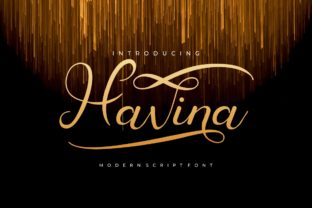
Havina Turns Your Design Ideas Into True Standouts
You have a design idea. It might be a logo concept scribbled on a napkin, a vision for a website layout in your head, or a poster you need to create for an event next week. The gap between having that idea and seeing it become a real, polished, professional-looking design is often the hardest part. This is exactly where Havina becomes your essential partner. Havina is not just another script or tool; it’s a powerful engine built to interpret your creative intent and transform it into a final product that commands attention.
Bridging the Idea-Execution Gap for Everyone
Think about the last time you needed something designed but felt stuck. Maybe you’re a small business owner launching a new service. You know your brand needs to look credible to attract customers, but hiring a designer feels out of budget, and DIY tools leave you with generic, templated results. Havina operates here. It takes the core elements you provide—your color preferences, your rough layout, your message—and applies a layer of sophisticated design logic. The outcome is a unique visual that feels custom-made, not pulled from a cookie-cutter gallery.
For the blogger or content creator, visual consistency is key to growing an audience. Every new blog post needs a featured image, every social media update needs a graphic. Doing this manually eats hours. With Havina, you establish a design direction once—perhaps a particular font pairing and a color palette—and then for each new piece of content, you feed it the topic and key imagery. Havina generates the variations, maintaining your brand’s look while saving you the repetitive labor. It turns a weekly chore into a seamless, automated part of your process.
Practical Applications in Daily Creative Work
Let’s walk through a few concrete scenarios. A freelance marketer is preparing a pitch deck for a potential client. They have the data and the copy, but the slides look bland and unimpactful. Using Havina, they input the client’s industry (e.g., “sustainable technology”) and the deck’s key sections. Havina suggests and applies cohesive visual themes—appropriate icon sets, balanced data visualization styles, and a layout hierarchy that emphasizes key points. The marketer spends their time refining the message, not wrestling with design software, and delivers a deck that looks expertly crafted.
An educator designing an online course needs engaging lesson materials. Students respond better to visually clear, well-organized handouts and video slides. The educator provides the lesson text and specifies they need diagrams for complex concepts. Havina structures the information, creating clean layouts with visual cues that enhance understanding. The educator focuses on pedagogy, while Havina handles the visual presentation, making the course more effective and professional.
Where Havina Fits Into Your Workflow
The strength of Havina lies in its integration point: after the idea and before the final tweaks. It’s the powerful middle step that does the heavy lifting. You don’t use it to replace your initial spark or your final human judgment. You use it to build out the raw form of your idea into something substantial. This is crucial for entrepreneurs under time pressure, hobbyists wanting to elevate their projects, and even professional designers looking to speed up prototyping.
Consider a publisher preparing an email newsletter. They have the articles written and a list of images. Assembling these into a single, attractive email layout that works across devices is a technical and design challenge. By applying Havina with parameters for column structure, image handling, and typographic scale for readability, the publisher gets a robust, mobile-responsive HTML and visual foundation in minutes. They then personalize the final touches, sending a standout newsletter without a day of coding and testing.
Considering Your Needs Before Using Havina
Because Havina is so powerful, it’s wise to approach it with a clear understanding of your own goals. It excels at transforming defined inputs into polished outputs, so the quality of your starting idea matters. If you have a very vague or completely undefined concept, you might need to do some preliminary sketching or thinking first. Havina is a transformer, not a originator.
Also, consider the level of customization you ultimately need. Havina provides strong, professional defaults and logical adaptations. For projects where unique, highly artistic expression is the primary goal, you will likely use Havina’s output as a sophisticated starting draft, then apply your own detailed artistic modifications. For projects where clarity, professionalism, and speed are paramount—like business communications, educational materials, or consistent social media graphics—Havina’s output can often be the final product.
It’s also about compatibility with your existing tools. Havina outputs standard, clean code and image formats. You should think about how you will take those outputs and use them. Will you drop them into your website CMS, import them into your video editing software, or send them directly to a printer? Knowing your end destination helps you configure Havina’s settings for the best possible result.
The Real Outcome: Confidence and Time
Ultimately, the benefit of using a strong script like Havina isn’t just a pretty design. It’s the confidence that your ideas will be presented with weight and authority. It’s the time you reclaim from tedious production tasks. A hobbyist creating a poster for a community film night gets a result that looks official and attracts more attendees. A consultant’s report gains visual credibility that matches the depth of its analysis. A digital creator’s content feed looks cohesive and professional, encouraging more followers.
Havina recognizes that good design is not a luxury reserved for experts with expensive software. It’s a necessary component of communication in almost every field. By handling the complex application of design principles—balance, contrast, hierarchy, alignment—it allows you to focus on what you do best: your message, your service, your content, your idea. It ensures that when you present that idea to the world, it doesn’t just arrive; it stands out.